
Antivirus Status report
The Antivirus Status report provides an overview of the current state of antivirus protection across one or more devices. Its goal is to help IT administrators, cybersecurity teams, or individual users monitor the effectiveness of their antivirus software and identify potential vulnerabilities or unresolved issues.
This report uses data collected by device monitoring services. To display data in the report, apply either the AV Status or AV Defender Status service to the relevant devices.
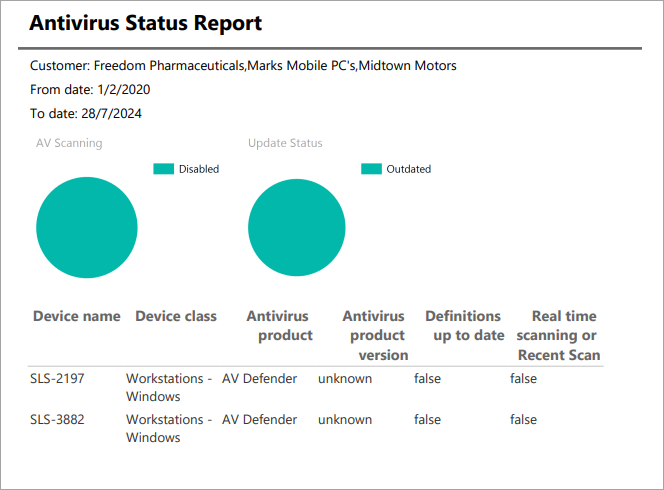
To generate an Antivirus Status report
-
Go to Analytics > Dashboard > Reports.
-
Select the Antivirus Status report.
-
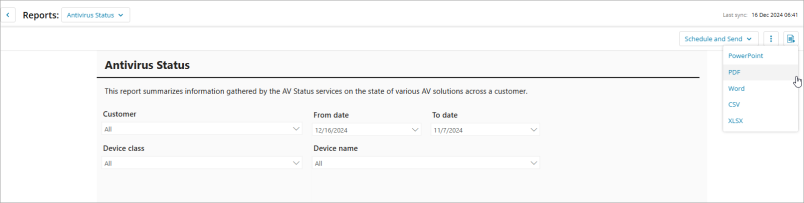
Set the report criteria:
Customer: Select the customer(s) for the report.
Dates: Select the date range for the reporting period.
Device class: Select one or more device classes to include in the report. By default, all device classes are included.
Device name: Select one or more devices to include in the report. By default, all devices are included.
-
Click the Export button
 and select the report format. Click Schedule and Send to send the report later.